> For the complete documentation index, see [llms.txt](https://gspro.gitbook.io/gspro-knowledge-base/llms.txt). Markdown versions of documentation pages are available by appending `.md` to page URLs; this page is available as [Markdown](https://gspro.gitbook.io/gspro-knowledge-base/troubleshooting-and-support/nvidia-drivers.md).
# Nvidia Drivers
## Updating Video Drivers For Nvidia:
This guide will run through the steps to update/re-install the latest Nvidia Drivers for your PC.
### Nvidia GeForce:
If you don’t have the application installed on your PC already, you’ll need Nvidia’s GeForce Experience application to update your drivers. (If you’ve updated to Nvidia’s latest “Nvidia App”, skip to the Nvidia App section below) Please follow the link here to download Nvidia’s GeForce Experience: [https://www.nvidia.com/en-us/geforce/geforce-experience/download](https://www.nvidia.com/en-us/geforce/geforce-experience/download/)
Once GeForce Experience is downloaded and launched, please head to the “Drivers” tab found in the top left corner of the application:
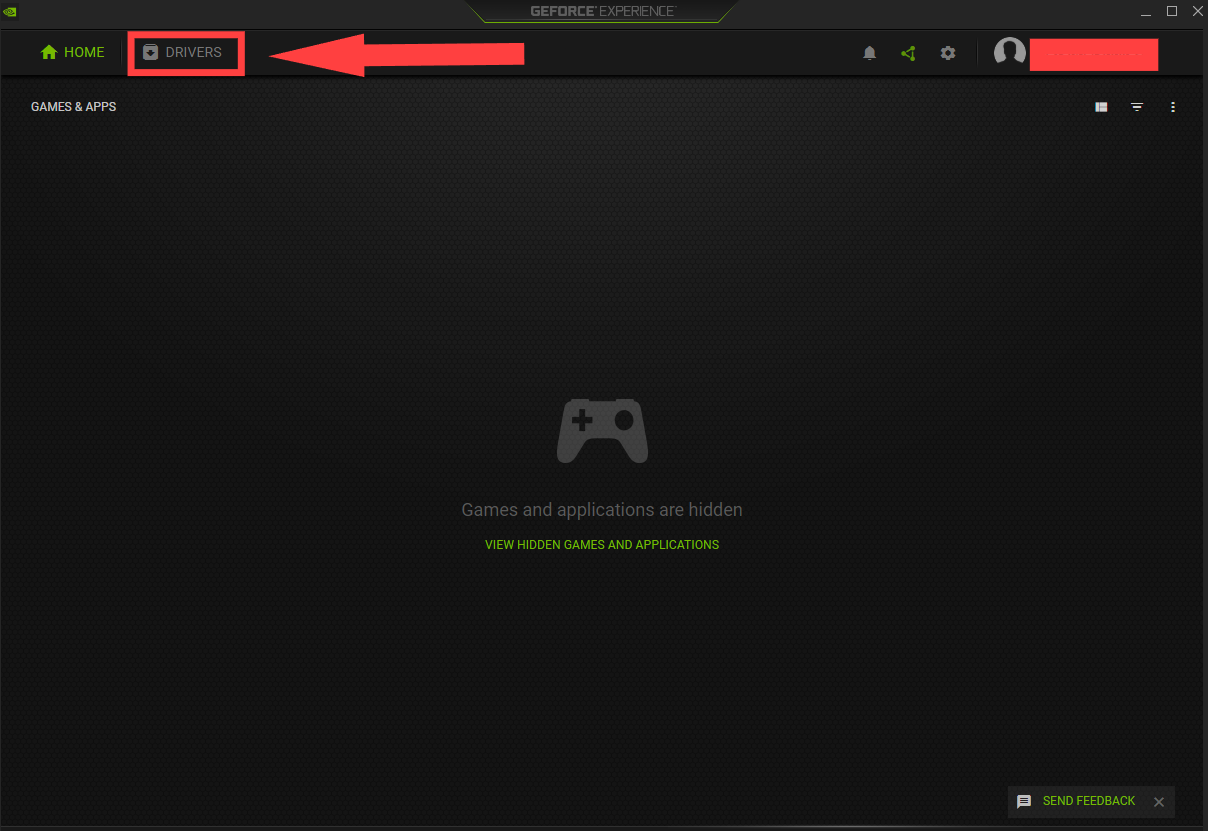 From here, we will select “Check For Updates”. Depending on if you have the latest drivers installed or not, you’ll be represented with two options. “You have the Latest GeForce Game Ready Driver”, or “X Driver is Ready For Instillation”. In my example, I’ll be reinstalling the latest driver.
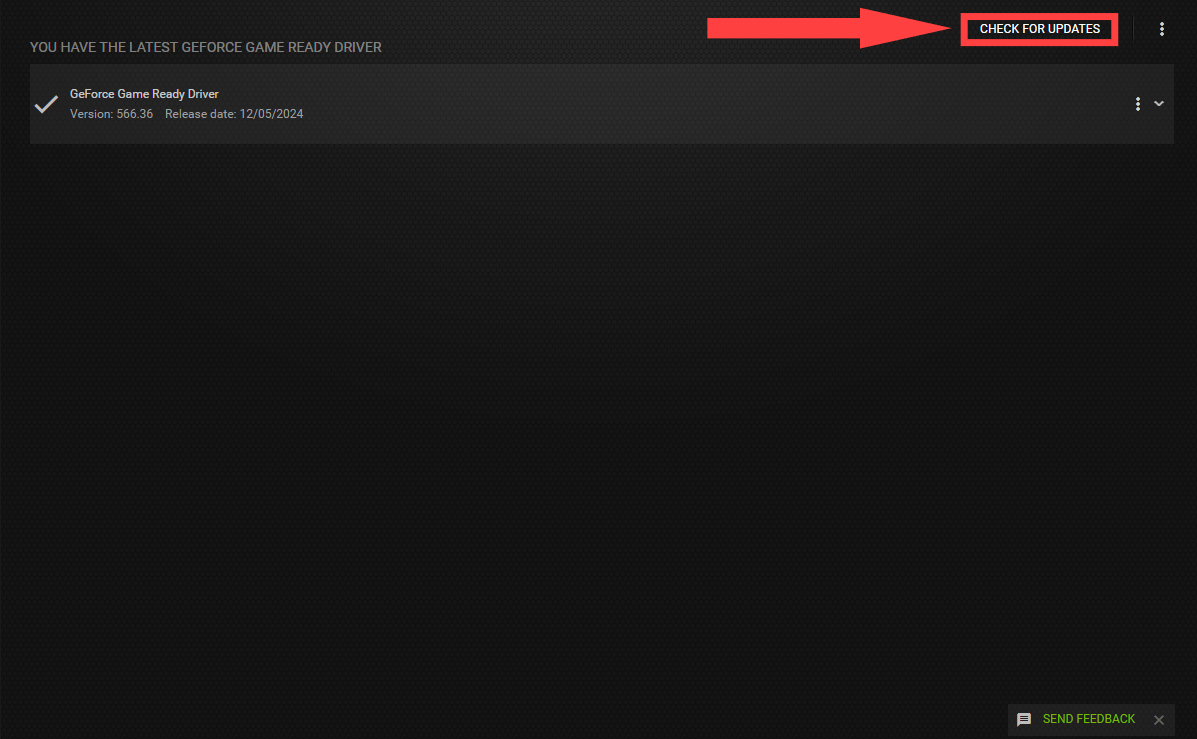 To reinstall your Driver, click on the three dots adjacent to your updated driver. From the drop down shown, select “Reinstall Driver”:
 If prompted, select “Express Instillation”. You may also be prompted to give permission/access to GeForce Experience. Select “Allow” each time. (Follow any and all prompts made by GeForce Experience for a safe instillation of your newest drivers.
 Once completed, you’ll be shown a finished report similar to the image below.
.png)
### Nvidia App:
Very similar to the GeForce Experience application, the Nvidia App is has an almost identical process with slightly different UI. To start, click on the “Drivers” tab found on the left side of the application.
Once completed, you’ll be shown a finished report similar to the image below.
.png)
### Nvidia App:
Very similar to the GeForce Experience application, the Nvidia App is has an almost identical process with slightly different UI. To start, click on the “Drivers” tab found on the left side of the application.
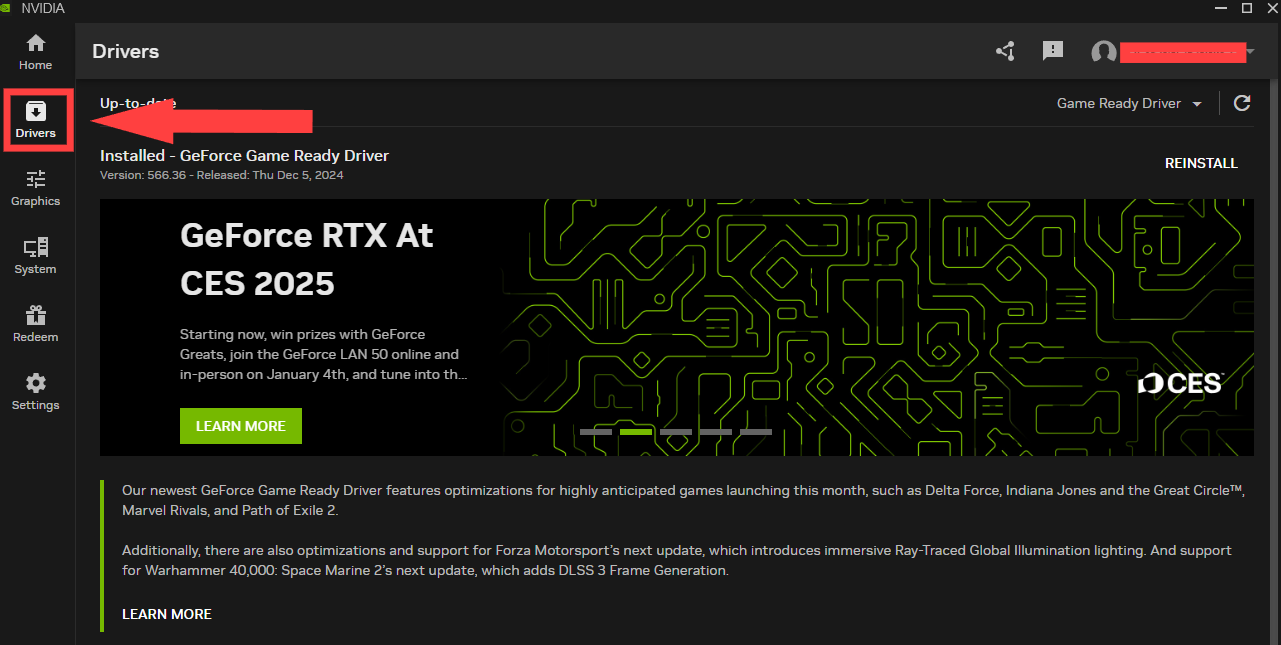 Click on the rotating arrow icon to check for any new driver updates. (If any available updates are ready to install, you’ll select “Express instillation”) In my example, I have the latest drivers, and will be selecting “reinstall”.
 Once you’ve selected to install/reinstall the latest drivers, you may be prompted to allow the Nvidia App to make changes on your PC. Select “Yes” or “Allow” for any prompts given. (You may even be prompted to restart your PC) Once completed, you’ll be shown a finished report similar to the image below.
.png)
Once you’ve selected to install/reinstall the latest drivers, you may be prompted to allow the Nvidia App to make changes on your PC. Select “Yes” or “Allow” for any prompts given. (You may even be prompted to restart your PC) Once completed, you’ll be shown a finished report similar to the image below.
.png)