> For the complete documentation index, see [llms.txt](https://gspro.gitbook.io/gspro-knowledge-base/llms.txt). Markdown versions of documentation pages are available by appending `.md` to page URLs; this page is available as [Markdown](https://gspro.gitbook.io/gspro-knowledge-base/tournaments-main-menu/sgt-account.md).
# SGT Account
## Simulator Golf Tour Account:
GSPro does not have built in leagues/tournaments. Instead, a company called Simulator Golf Tour or SGT for short offers league play for GSPro. In order to play in any tournaments provided by SGT, you must first create an SGT account and bound that account’s ID to your GSPro Player of choice.
### Creating a SGT Account:
To create an SGT account, you will first want to head to their website: [https://simulatorgolftour.com](https://simulatorgolftour.com/). Once on the Simulator Golf Tour website, navigate to the “Profile Icon” in the top right corner of the screen. Click the icon, and “Sign Up”.
When creating your SGT account, be sure that your “Username” matches with your “Player Name” back in GSPro exactly. If these do not match, your scores from your tournaments may not be reported correctly. (More on where to locate Player information on GSPro below)
### Linking GSPro To Your SGT Account:
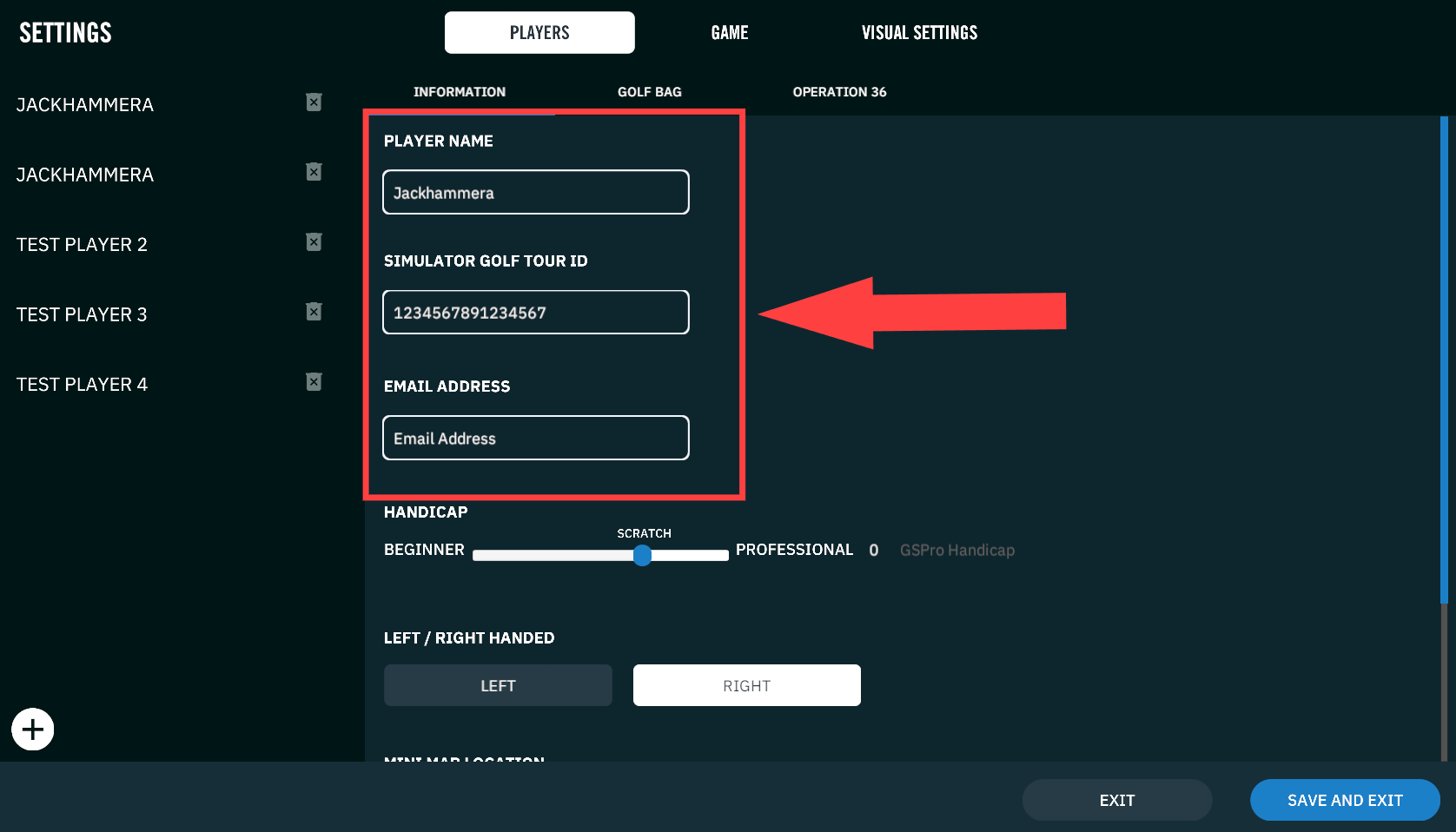
Now that you have created an SGT account, you will want to make sure your GSPro account is linked properly. In GSPro, please head to the “Settings” under the “Players” tab and locate your desired player. Here, you will find the two categories you will need to sync up. (Name, SGT ID, and I recommend Email Address)
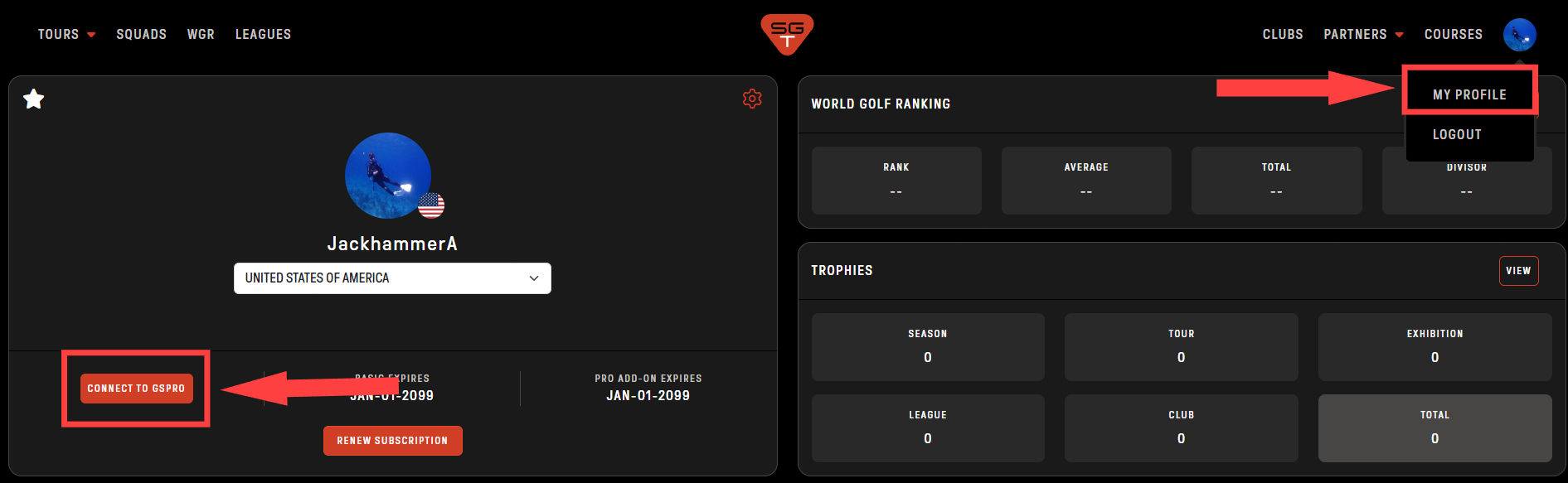
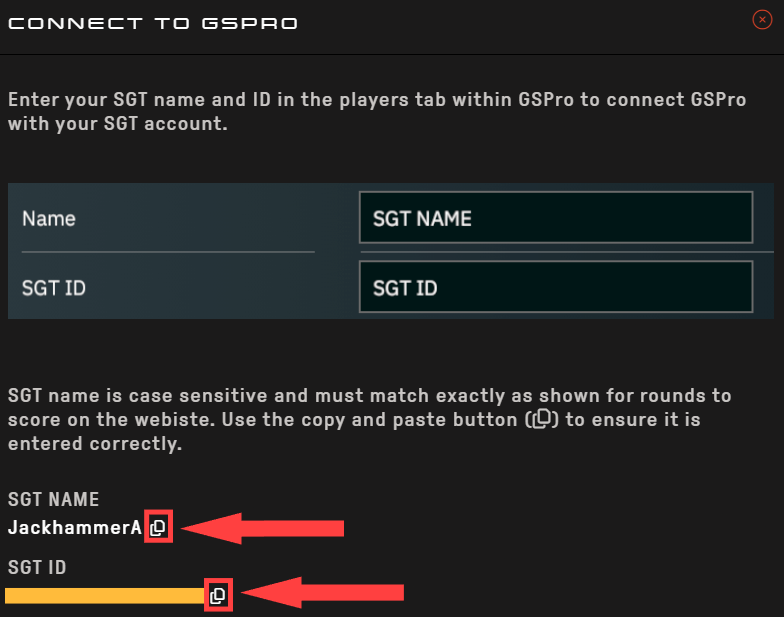
Back on the Simulator Golf Tour website, they make it as easy as copying and pasting the information into GSPro. If you haven’t already, click on “My Profile”. Once you are viewing your profile, click on “CONNECT TO GSPRO” found on the far left side of the page. A window will appear showing your exact username, and unique SGT ID. Adjacent to these two pieces of information will be a small clipboard icon. Click this icon to copy your name/SGT ID and paste them into GSPro.